*Only mount the device after you've completed all the Preparation Steps.
*If your license plate doesn’t fit any of the following standards, please refer to a relevant mounting guide.
Remove the license plate from your car and proceed with one of the installation methods below.
Identify your license plate type:
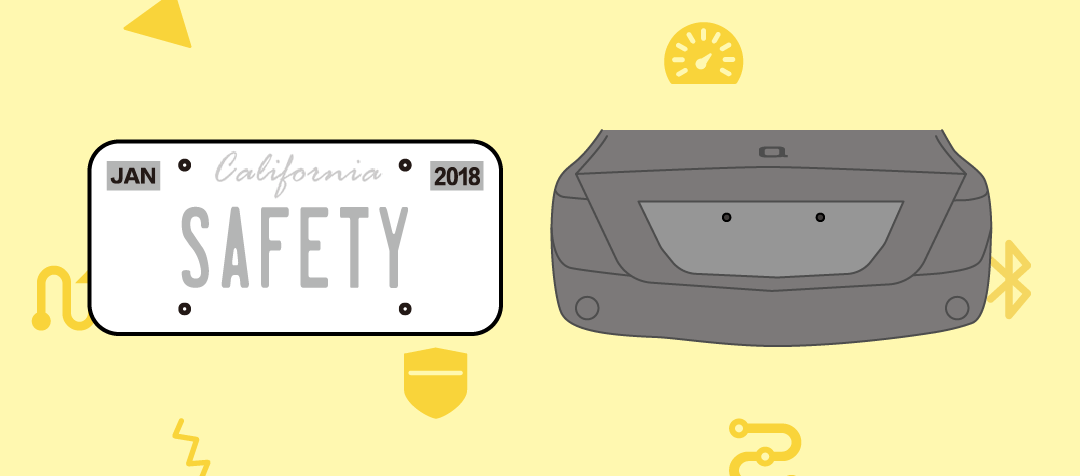
If your registration sticker is located at the top of your license plate AND there are only TWO screw holes on the back of your car, please proceed with installation Method 1.
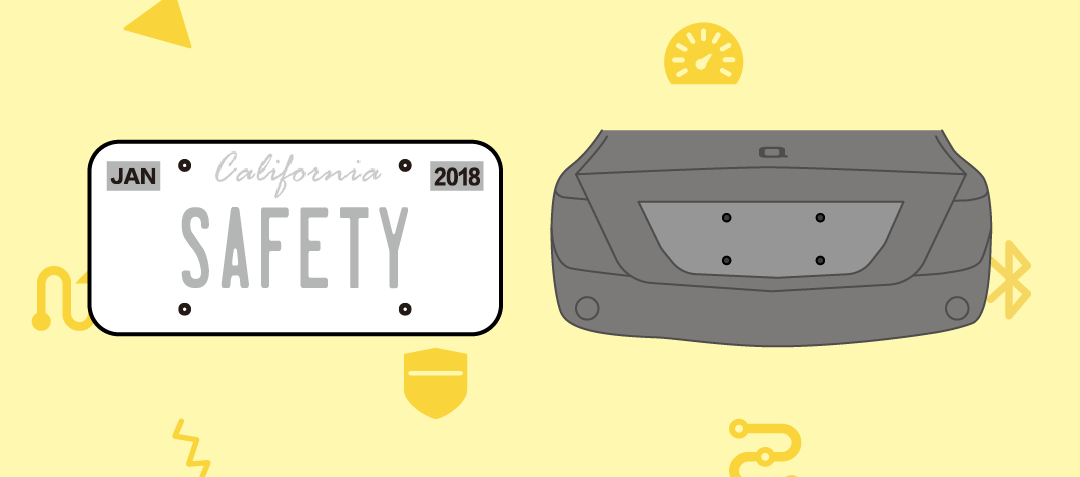
If your registration sticker is located at the top of your license plate AND there are FOUR screw holes on the back of your car, please proceed with installation Method 2.

If your registration sticker is located at the bottom of your license plate, please proceed with installation Method 3.
Method 1
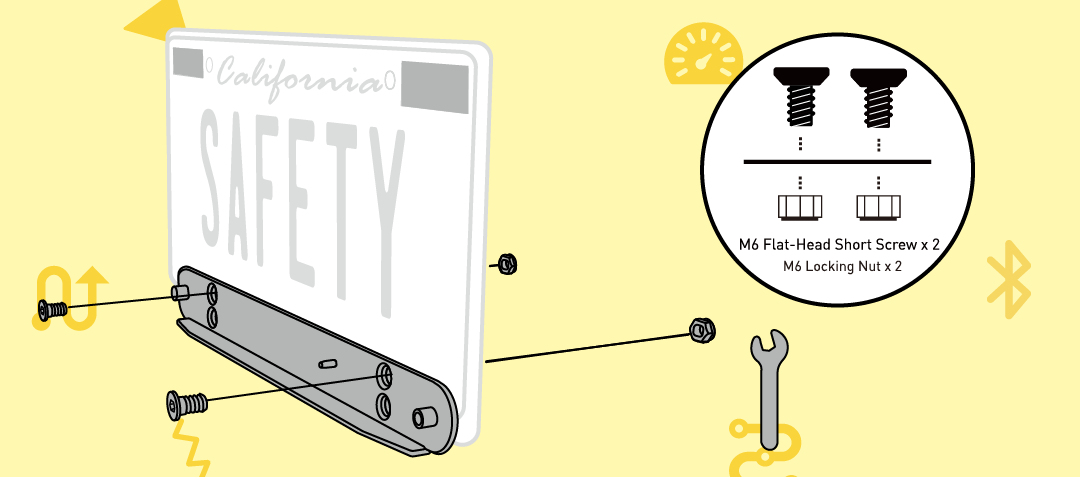
Step 1 Align the top two holes of the mounting plate to the bottom two holes of the license plate. Secure the mounting plate to the license plate with the M6 flat-head short screws and the M6 hex nuts. Tighten with the provided hex wrench and screwdriver.
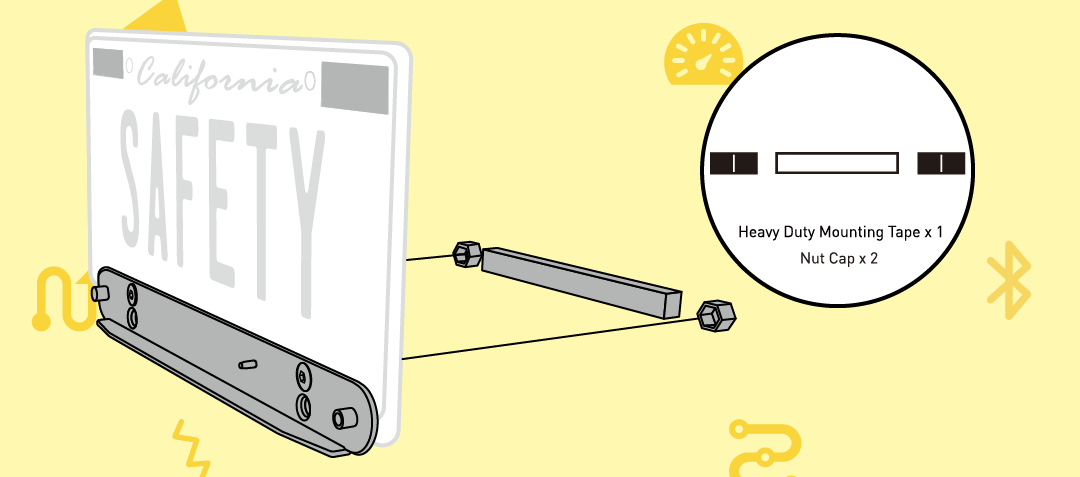
Step 2 Affix the nut caps onto the hex nuts. Peel the mounting strip and attach it firmly to the back of the license plate.
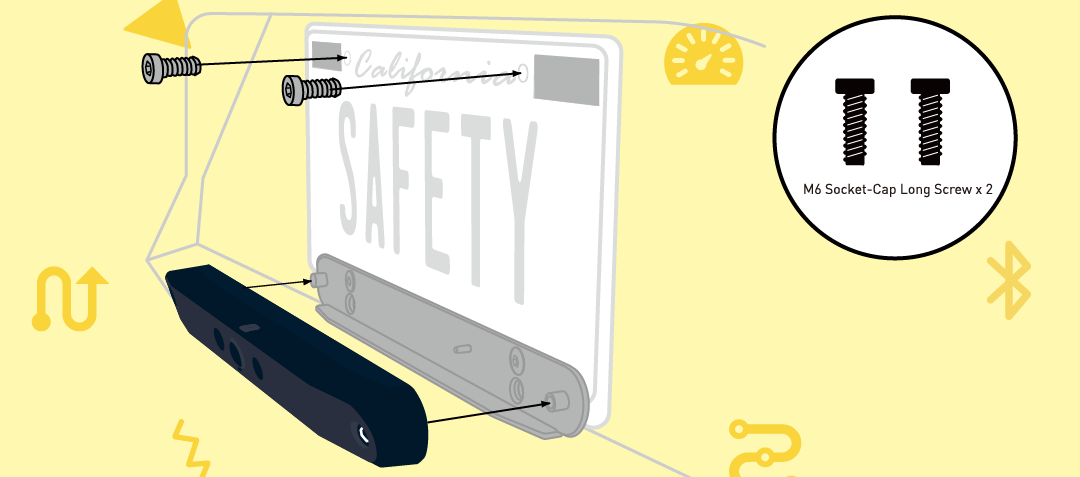
Step 3 Reattach your license plate to your car with the M6 socket-cap long screws (certain cars may require M5 socket-cap long screws instead). Place your ZUS Smart Backup Camera on the mounting plate and tighten the security screws with the screwdriver.
Method 2
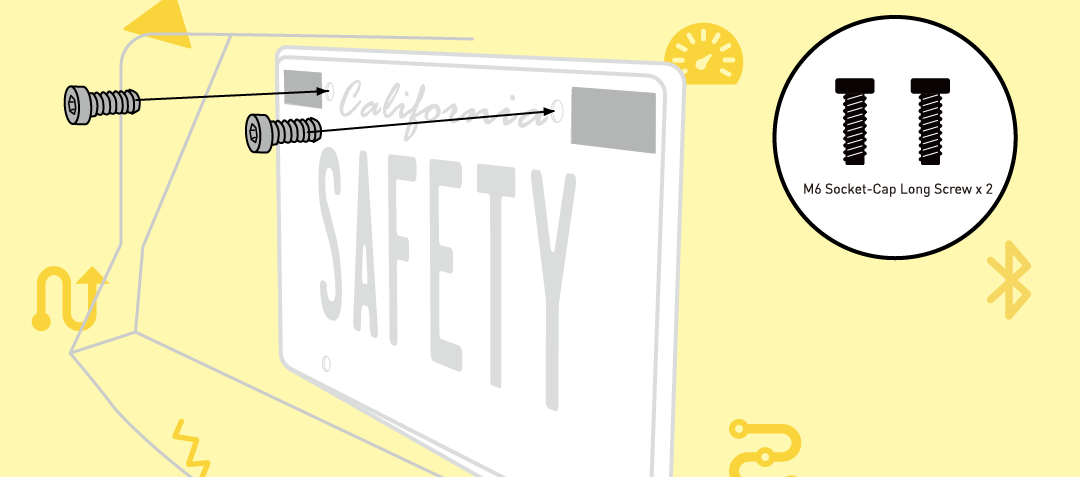
Step 1 Reattach the license plate to your car with the two M6 socket-cap long screws. Certain cars may require M5 socket-cap long screws instead.
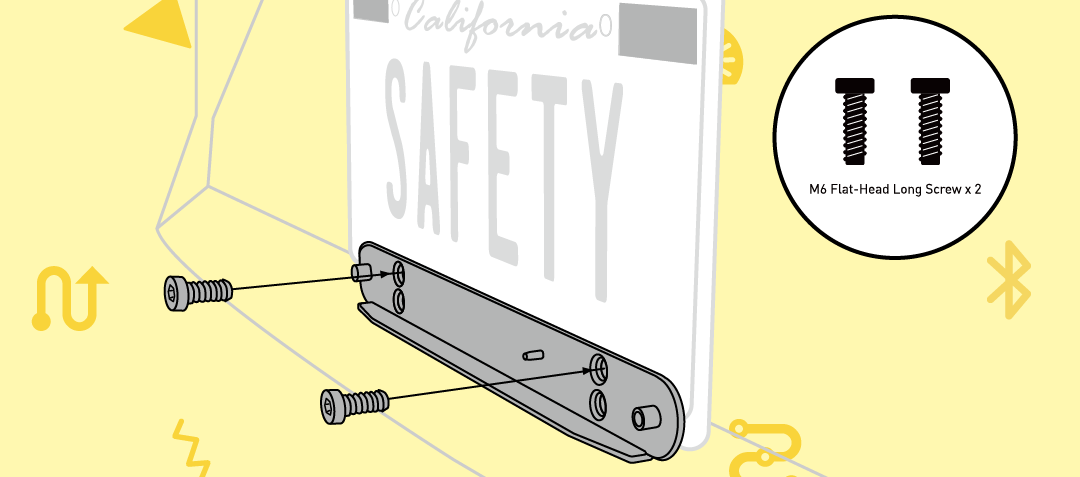
Step 2 Align the top two holes of the mounting plate with the bottom two holes of your license plate. Secure the mounting plate to the license plate with the M6 flat-head long screws. Certain cars may require M5 flat-head long screws instead. Tighten with the screwdriver.

Step 3 Place your ZUS Smart Backup Camera on the mounting plate and tighten the security screws with the screwdriver.
Method 3
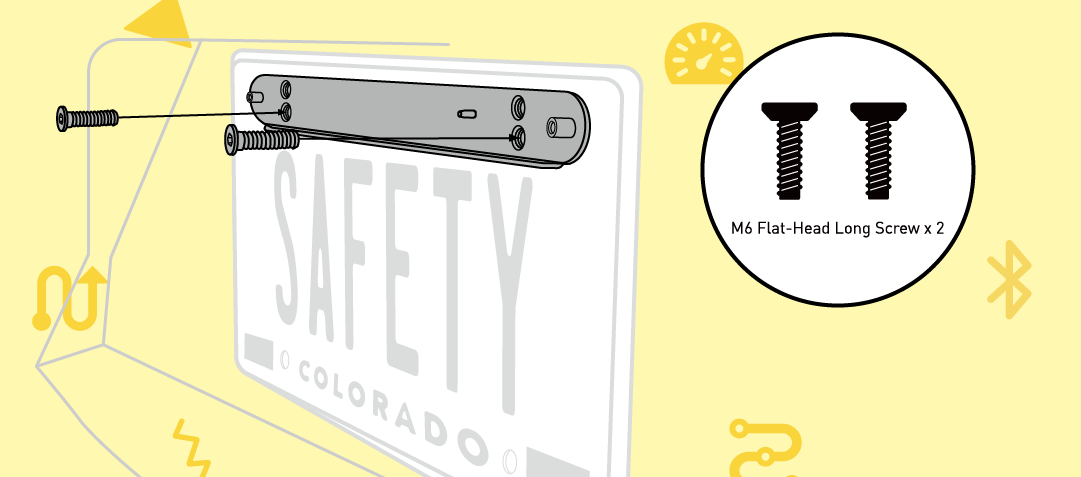
Step 1 Align the bottom two holes of the mounting plate with the top two holes of your license plate and the top screw holes on the back of your car. Secure the mounting plate with the M6 flat-head long screws (certain cars may require M5 flat-head long screws instead). Tighten them with the provided screwdriver.
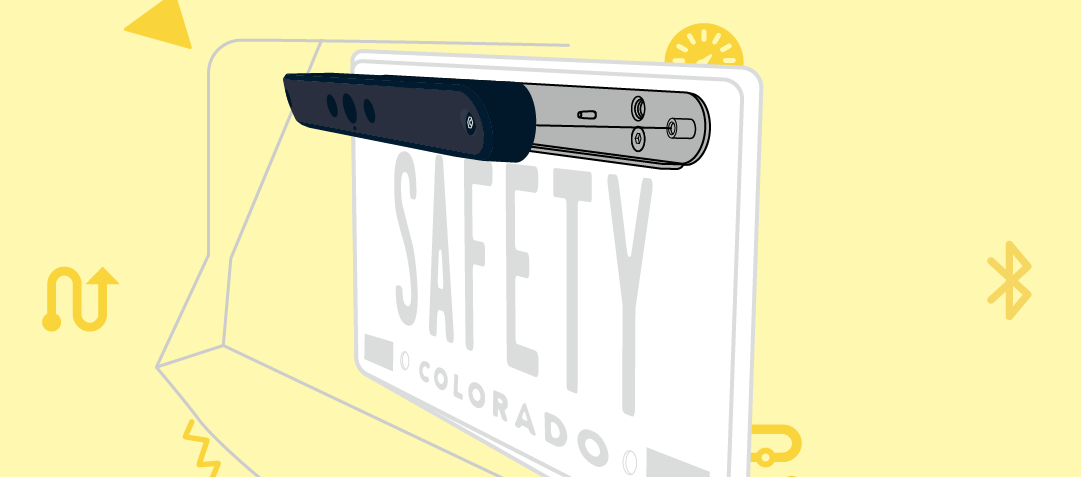
Step 2 Place your ZUS Smart Backup Camera on the mounting plate and tighten the security screws with the screwdriver.
Comments
0 comments
Please sign in to leave a comment.